

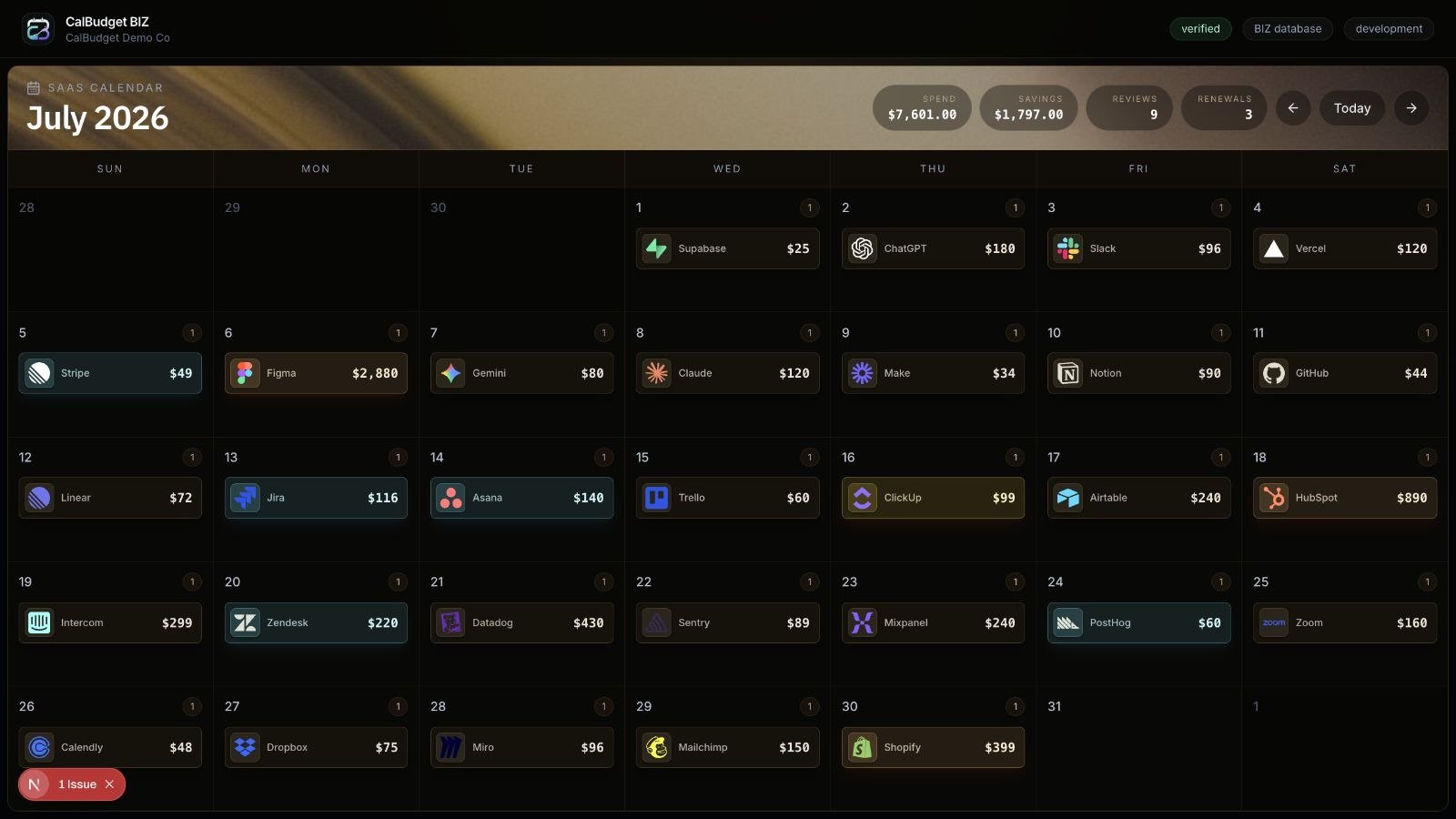
CalBudget Business SaaS spend calendar
What the calendar shows
The calendar groups business spend events by date and month. The header summarizes:- Monthly SaaS spend
- Potential savings
- Review count
- Renewal count
Event types and statuses
Calendar events can represent different kinds of work:
Event styling should help teams spot urgency, but the decision still depends on the evidence attached to the event.
Transaction detail overlay
Opening a calendar event shows a full-screen detail overlay with the event, vendor, account, transaction, and opportunity context available for that item. Useful details include:- Vendor name, category, logo, and website
- Amount, cadence, and confidence
- Source transaction and account
- Recurring pattern details when available
- Related savings opportunity
- Evidence and status
How teams should use it
Use the calendar as a review queue, not just a spend report:- Start with renewals and trial conversions this month.
- Open events marked needs review or assigned.
- Check the evidence and confidence.
- Assign an owner or due date when a human decision is needed.
- Move approved savings actions into the audit workflow.