

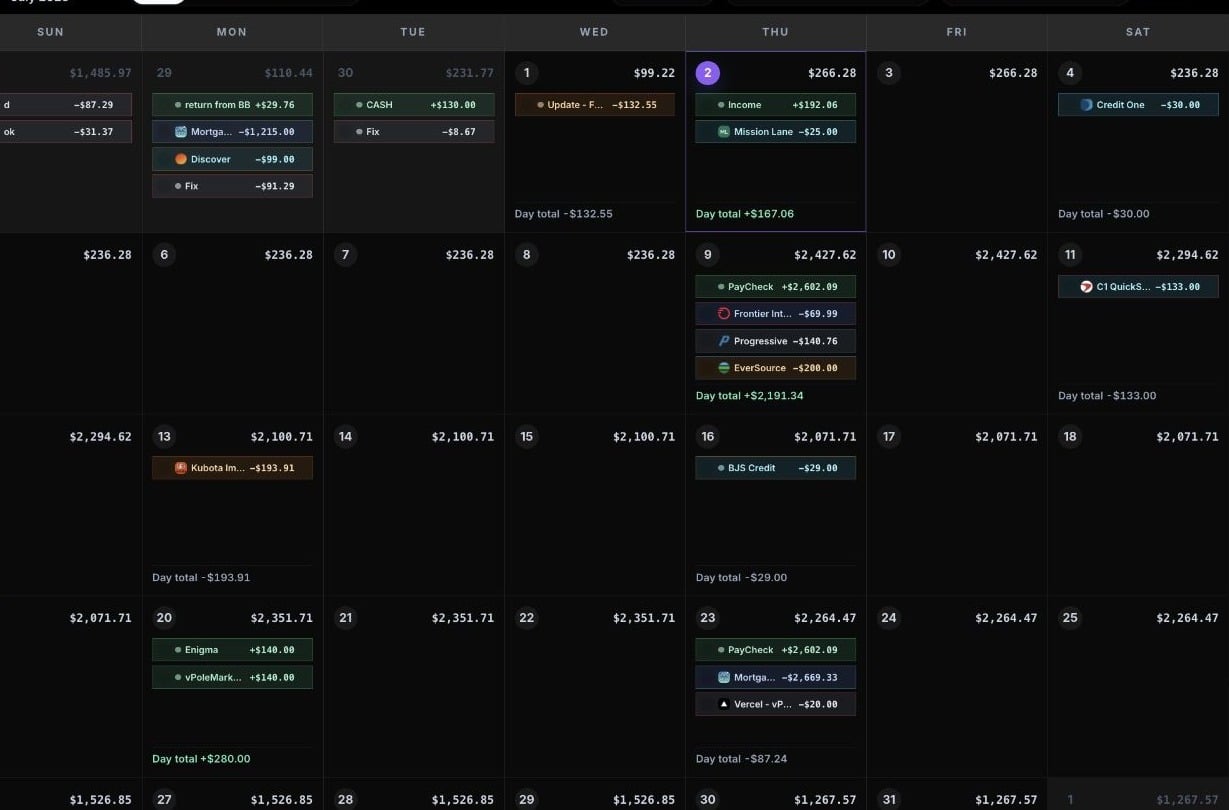
CalBudget month calendar
Plan by date
Put paychecks, bills, subscriptions, debt payments, and flexible spending on the days they affect your account.
Watch the low point
Use the projected daily balance to find the tightest day before it arrives.
Adjust the month
Move dates, edit amounts, mark items cleared, and let recurring transactions keep future months filled in.
What the calendar helps you see
The calendar is built for practical cash-flow questions:- Can this account make it to the next paycheck?
- Which bills land before income arrives?
- What happens if a payment moves by a few days?
- Which future dates need attention?
- How much room is left after recurring expenses?
Core pieces
Accounts
Hold the money you want to plan, such as checking, savings, credit card, or debt payoff accounts.
Transactions
Dated income or expense items. A transaction can be one-time or recurring, planned or cleared, and can include notes or a website URL.
Categories
Keep income and expenses organized. Income categories increase the running balance. Expense categories decrease it.
Recurring transactions
Create future copies of bills, paychecks, subscriptions, transfers, and other repeat items so the forecast does not go blank after this month.
Recurring balances
Track progress on repeat payments or deposits, such as paying down a loan or building toward a savings goal.
Bookmarks
Save transaction templates for things you add often.
Planned vs. cleared
CalBudget separates planning from what has already happened.- Planned transactions are future or not-yet-confirmed items in your calendar.
- Cleared transactions are items you have confirmed against real account activity.
Where to start
For a useful first forecast, add:- Your main spending account.
- The current account balance.
- Your next paycheck or income date.
- Your biggest monthly bills.
- Any subscriptions or repeat payments that could surprise you.